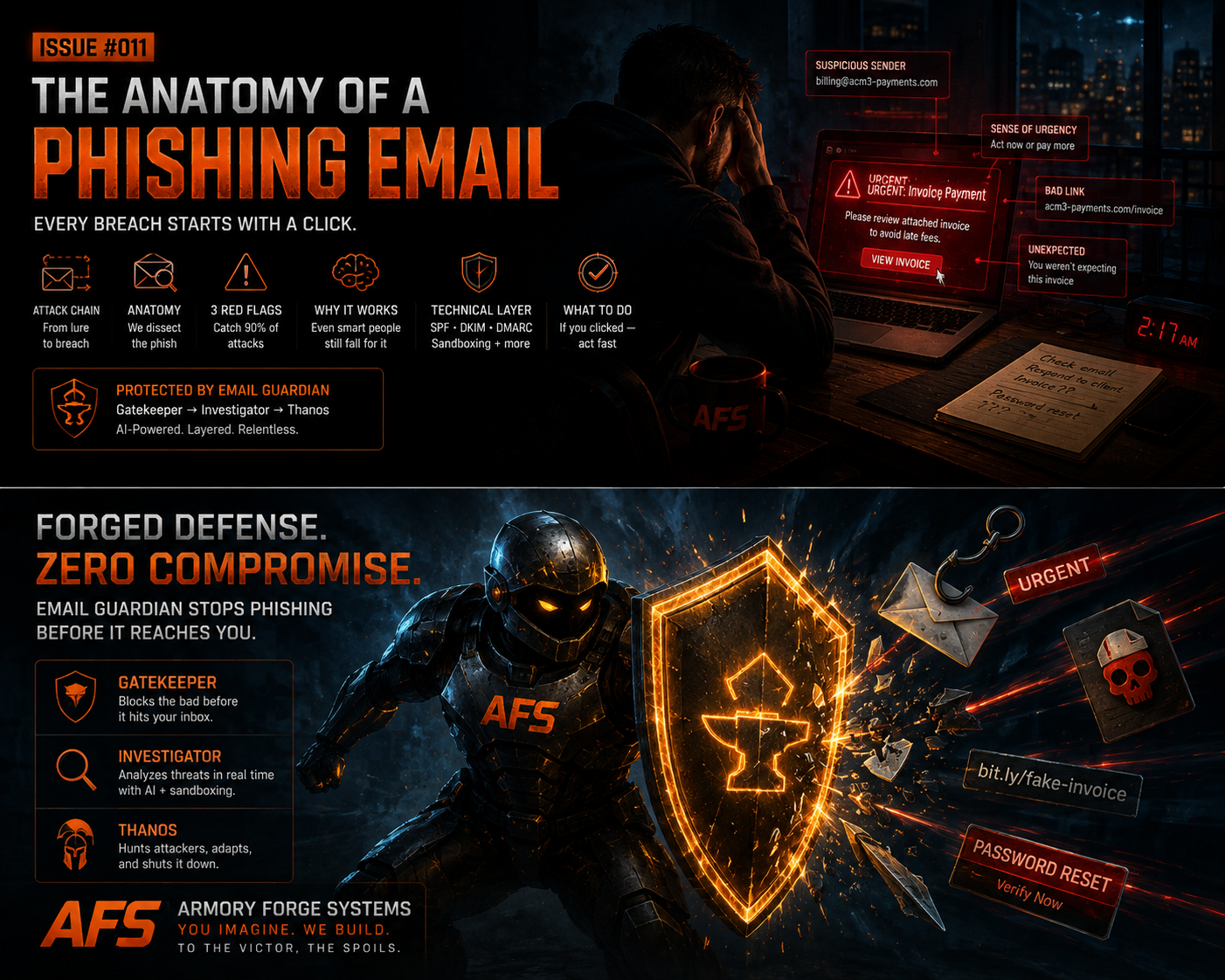
The Forge — Armory Forge Systems — Signet Article #011
Every breach story starts the same way — not with a hacker breaking into a server, but with an employee clicking a link.
It's the oldest trick on the internet, and it still works. Verizon's Data Breach Investigations Report consistently finds phishing involved in a third of all breaches — with the human element behind the vast majority of them. Small businesses are the favorite target, not because they hold nation-state secrets, but because they're easier prey. One wrong click can mean a hijacked bank account, a ransomware lockout, or a customer database leaked to the dark web.
So let's take a phishing email apart, piece by piece. Understand how it works, and you'll never look at your inbox the same way again.
The Attack Chain: Four Steps to Breach
Phishing isn't a single moment — it's a chain of events, and the attacker only needs you to fail once.
- Delivery. The email arrives in your inbox. It looks like it's from your bank, your software vendor, a client, or your own CEO.
- The Hook. Fear, urgency, curiosity, or authority gets you to act before you think. "Your account will be suspended." "This invoice is overdue." "Re: the contract we discussed."
- The Action. You click the link, open the attachment, enter your password, approve the payment, or forward the email to accounting.
- The Payoff. Credentials get harvested, ransomware deploys, a wire goes to the wrong account, or the attacker silently lives inside your mailbox for months.
The defense fails at step 2. That's why phishing works — not because the technology is sophisticated, but because the psychology is.
Dissecting the Email Itself
Here's what a phishing email actually looks like when you stop reading it as a message and start reading it as evidence:
- The spoofed sender. The display name says "PayPal" — the actual address is service@paypa1-security.com. Display names are free text. Anyone can type "Your CEO" into the From field.
- The lookalike domain. amaz0n.com, microsoft-support.net, yourbank-verify.com. One character off, zero suspicion.
- The urgent language. Every phish has a timer: "within 24 hours," "immediately," "final notice." Deadlines short-circuit judgment.
- The mismatched link. The text says paypal.com/login — the destination is a raw IP address. Hover before you click. Every time.
- The attachment. Invoices, voicemails, "payment confirmations" — in .docm, .zip, or .html formats that hide macro malware or credential-harvesting pages.
- The ask. Credentials, MFA codes, wire transfers, gift cards. Legitimate services don't ask for your password over email. Ever.
Three Red Flags That Catch 90% of Phish
You don't need to be a security expert to spot most phishing. You need three reflexes:
- Urgency plus fear. Legitimate organizations don't threaten your account in the same sentence they ask you to log in.
- The link doesn't match. The visible text, the hover URL, and the destination page should all agree. If any one of them is off, it's a phish.
- An unexpected ask. Someone asking for credentials, payment, or a password reset that you didn't initiate — even if they know your name, your company, and your recent projects.
If you see any one of these, stop. Pick up the phone and call the sender using a number you already have — not one from the email.
Why Smart People Still Fall For It
The red flags are easy in a textbook. Real phishing is designed by people who study how you actually work.
- Business Email Compromise (BEC). The attacker impersonates a vendor or executive: "I'm in a meeting, wire this invoice to the new account." No links, no attachments — just a conversation and a wire. BEC costs businesses billions a year.
- Invoice fraud. A fake invoice from a supplier whose name, domain, and branding you recognize. Accounting pays it without a second thought.
- Compromised accounts. The most convincing phish comes from a real inbox — a vendor, a partner, or a colleague whose account was already taken over. Their real emails are suddenly full of malicious links.
- AI-generated scams. The grammar errors that used to give phish away are gone. AI writes flawless, personalized lures in the voice of your actual contacts — and can even clone a voice on a phone call. The typos are the tell of the past. The absence of typos is the tell of the present.
This is the new reality: the same technology that makes your business efficient now writes the attacks against it.
The Technical Layer: What Happens Behind the Email
Human judgment is the first line of defense — but it shouldn't be the only one. Every email carries technical evidence that machines can check faster and more reliably than people:
- SPF, DKIM, and DMARC verify that an email genuinely came from the domain it claims. A "bank" email that fails all three checks is a phish before you even read it.
- Domain reputation flags known-bad senders and newly registered lookalike domains.
- Link inspection expands shortened URLs and compares destinations against known malicious sites.
- Attachment sandboxing opens suspicious files in an isolated environment where malware can't reach your network.
This is exactly how AI security layers work in practice — a cheap, fast filter catches the obvious phish in milliseconds; a smarter layer examines anything suspicious in context; and heavy analysis — threat intelligence lookups, sandboxing, full incident review — is reserved for the rare high-risk case. You get enterprise-grade inspection without enterprise-grade cost, because most attacks never make it past the first gate.
You Clicked. Now What?
First: don't panic, and don't hide it. The cost of a clicked link compounds the longer it goes unreported.
- Disconnect from the network — unplug Wi-Fi or Ethernet. Don't power off; you may need logs and forensic evidence.
- Change your credentials from a clean device — and every other account that used the same password.
- Verify MFA is on — and if you entered a code, the attacker may have used it. Treat those accounts as compromised.
- Report it immediately — to your IT contact, and forward the email to your security provider. Speed matters.
- Check for mailbox tampering — forwarding rules, inbox filters, and "read and deleted" settings. Attackers live quietly inside inboxes.
- Watch for the follow-up — a successful phish is usually step one of a longer campaign.
The Bottom Line
Phishing works because it targets humans, not firewalls. The fix isn't more technology or more training — it's both, working together.
- Trained humans who pause before they click and know the three red flags.
- Technical verification that checks every inbound message before a person ever sees it — SPF/DKIM/DMARC, reputation, link inspection, and sandboxing.
- A plan for the click that does happen — because at some point, someone will.
The threat landscape keeps getting sharper. So does the defense: AI now fights on both sides of the inbox. The same models that write flawless phishing lures can inspect every message, explain why it's suspicious, and stop it before it reaches your team.
That's the difference between hoping your people don't click — and knowing your systems are watching.